
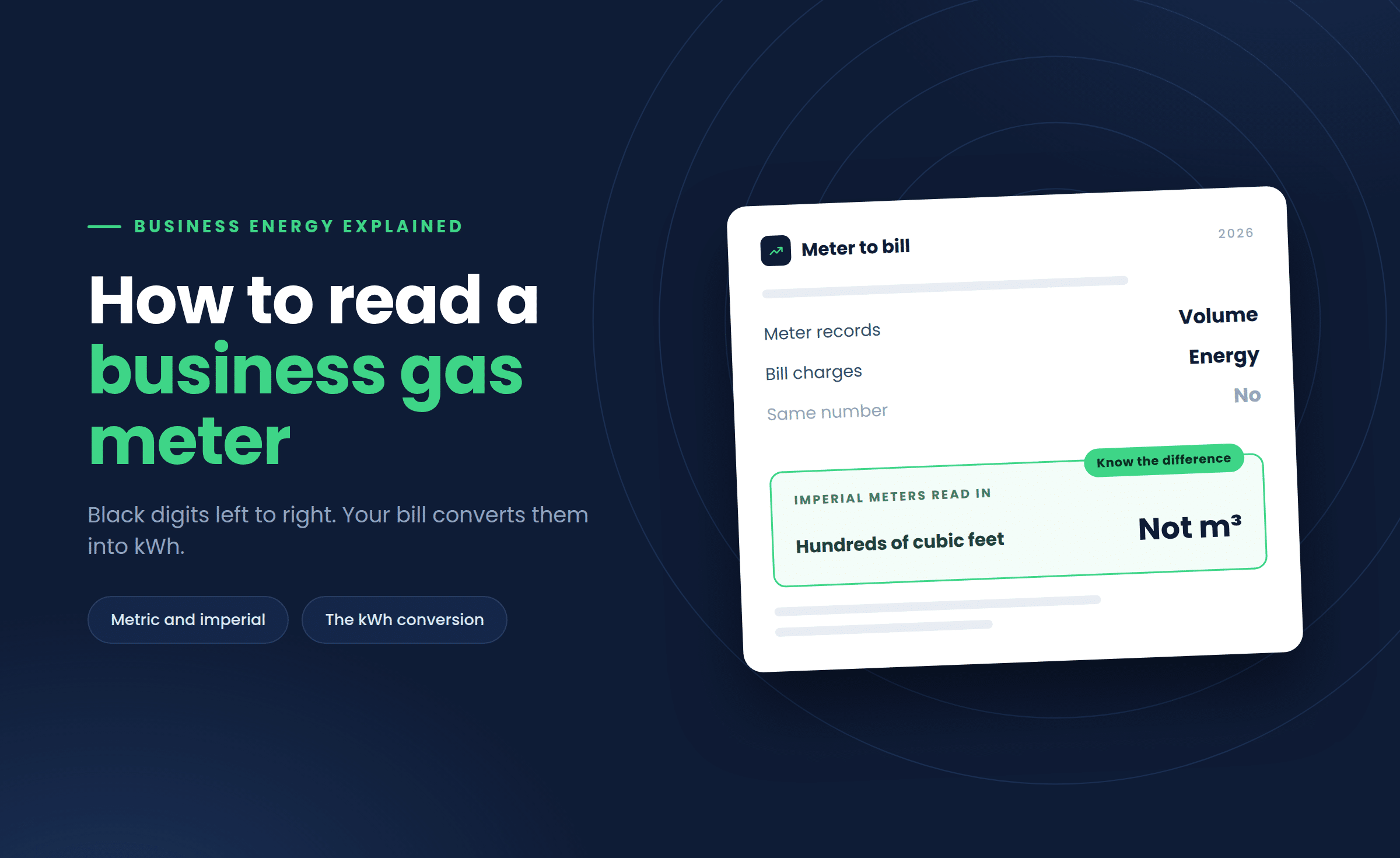
Read the black digits on the display from left to right, ignoring anything in red or after a decimal point. That number is your current reading in cubic metres or cubic feet, and your supplier turns it into kWh using a calorific value and a volume correction factor.
It sounds fiddly the first time you crouch down next to a meter cupboard with a torch and a notepad. Most business premises still have a physical meter tucked away in a cellar, plant room or external box.
Getting the reading right matters more than people think. A wrong or estimated reading can leave you paying for gas you never used, or land you with a large back-billed correction months down the line.
Commercial sites are also more likely than homes to have an older imperial meter, which reads in cubic feet and needs an extra conversion step. Our guide to how to read a business energy bill covers the wider bill once your reading has been converted.
What types of gas meter do businesses use?
Most business premises have either a digital diaphragm meter or an older mechanical dial meter, and a smaller number of larger or older sites still use an imperial meter that measures in cubic feet.
Metric or imperial?
Diaphragm meters are the standard for small and medium sites, using bellows to measure gas volume and showing the reading on a simple digital counter. Larger sites with higher demand sometimes use rotary meters that cope better with higher flow rates.
A metric meter usually says m3 or cubic metres on the dial. An imperial meter says ft3 or cubic feet, with digits often inside a row of small clock-style dials rather than a single counter.
How do you read a digital business gas meter?
Write down the black digits from left to right exactly as shown, and leave out any red digits or numbers that appear after a decimal point.
What the red digits mean
Most modern diaphragm meters display five or six black digits followed by one or two red digits. The red digits represent tenths and hundredths of a cubic metre, which suppliers do not use for billing.
Take the reading, note the date, and subtract your previous reading to get consumption for that period in cubic metres. If the display has gone blank, a firm tap or a moment’s wait usually wakes it up.
Some newer commercial and smart meters cycle through several screens or need a button press. Look for a screen with a small flame or gas symbol next to the cubic metre figure, since these meters also show data like battery status, and a smart gas meter reports automatically anyway.
How do you take an imperial gas meter reading?
Read the four or five dials from left to right, taking the lower of the two numbers whenever the pointer sits between them, then multiply the difference between two readings by 2.83 to convert cubic feet into cubic metres.
Why the dials catch people out
- Read left to right: noting the number the pointer has just passed on each dial.
- Pointer on a number: check the dial to its right; if it has not passed zero, use the lower number.
- Subtract the last reading: to get consumption in hundreds of cubic feet.
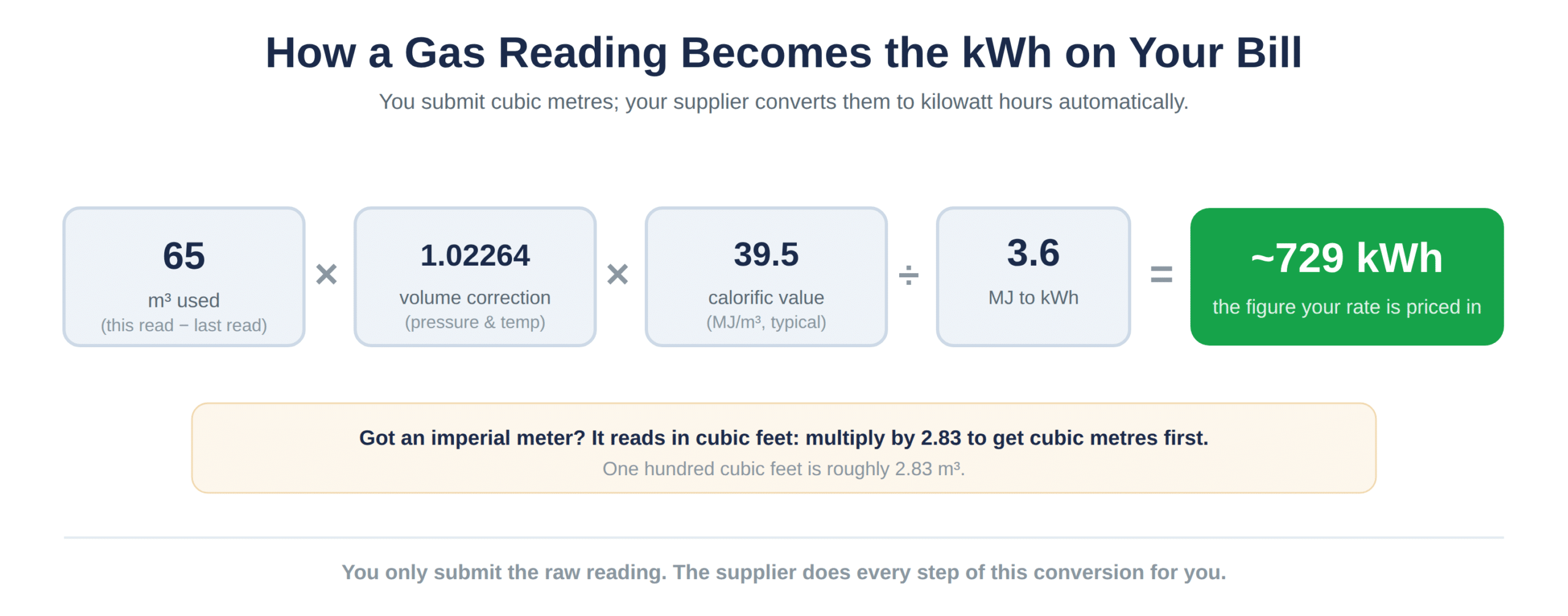
One hundred cubic feet is roughly 2.83 cubic metres, so multiply your consumption by 2.83 before any kWh calculation. Suppliers apply this automatically, but it explains why an imperial reading looks so different from a metric one on paper.
How is a gas meter reading converted into kWh?
Your supplier multiplies the cubic metres you have used by a volume correction factor and the calorific value of the gas, then divides by 3.6, to arrive at the kWh figure that appears on your bill.
The factors explained
| Step | Figure |
|---|---|
| Current reading (black digits) | 4,821 m3 |
| Previous reading | 4,756 m3 |
| Consumption | 65 m3 |
| Volume correction factor | x 1.02264 |
| Calorific value | 39.5 MJ/m3 (typical) |
| Divide by | 3.6 |
| Result | Approximately 729 kWh |
The volume correction factor adjusts for pressure and temperature, near 1.02264 for most sites, while the calorific value reflects the energy content and hovers around 39.5 MJ/m3. Dividing by 3.6 converts megajoules into kWh, the unit your tariff is priced in, and the central Xoserve gas records hold the figures suppliers apply.
How often should you submit business gas meter readings?
Submit a reading at least once a month, since going longer between readings raises the chance of an estimated bill that overstates or understates what you have actually used.
When you can skip it
Some suppliers ask for monthly reads on manual meters, others accept quarterly submissions as long as you flag anything unusual. Sites on a smart or AMR meter skip this entirely, because usage is sent through automatically.